How to Set Up a Cooling Laptop Stand for Optimal Performance

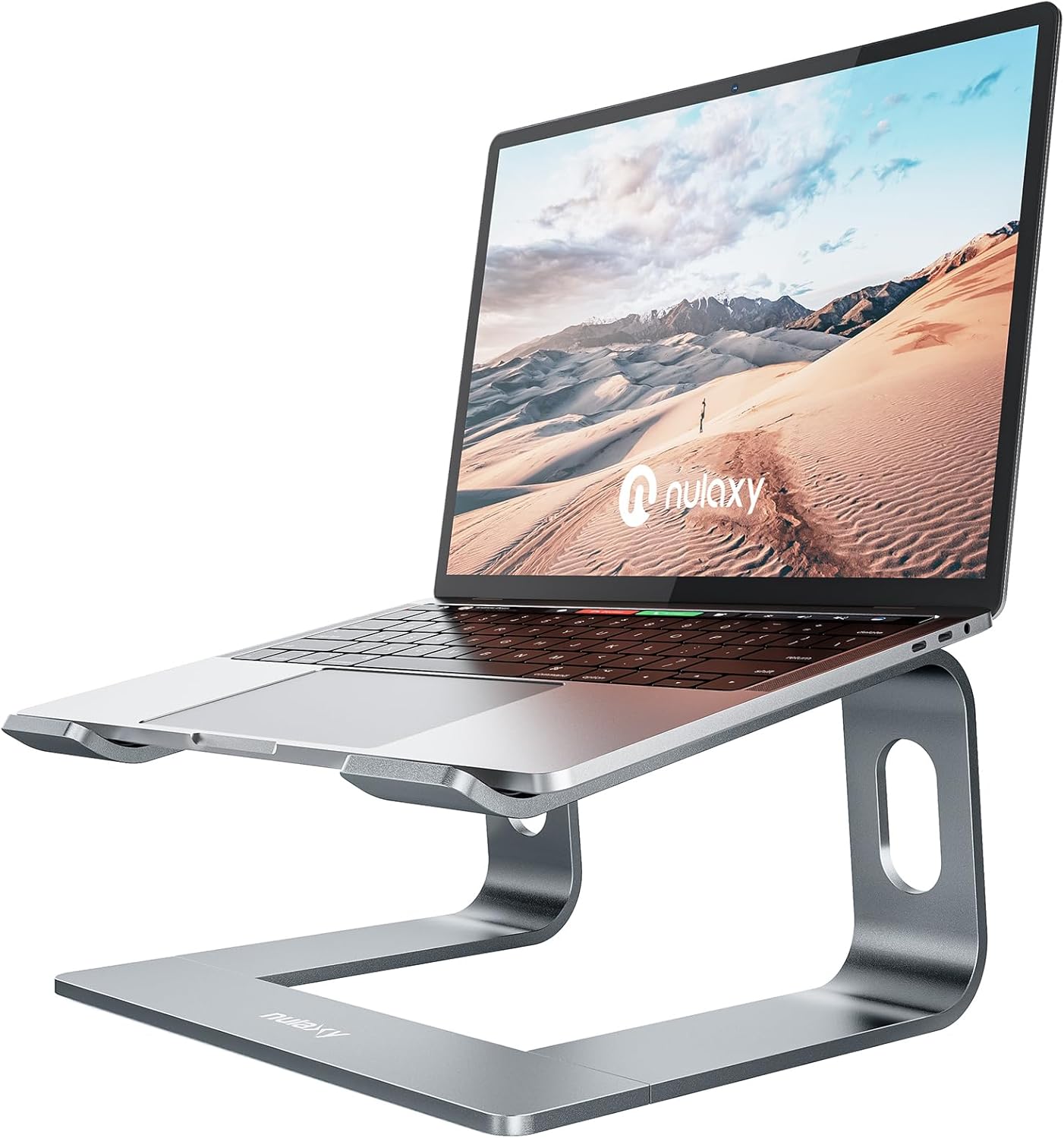
As laptops become increasingly powerful, they also generate more heat, which can lead to performance issues and hardware damage. One effective way to combat overheating is by using a cooling laptop stand. This guide will walk you through the essential steps to properly position a cooling laptop stand to enhance airflow, allowing your device to operate at its best.
Understanding the Importance of Airflow
Airflow is critical for maintaining optimal laptop performance. Most laptops are designed with internal cooling systems that rely on adequate ventilation. When a laptop is placed on a flat surface, airflow can become restricted, causing the device to heat up more quickly. Utilizing a cooling laptop stand helps elevate the device and creates space for air to circulate, preventing overheating and ensuring your laptop functions smoothly.
With increased airflow, the cooling system can operate more efficiently, which can lead to longer hardware lifespan and improved performance. By positioning your laptop correctly on a cooling stand, you create an environment where the device can maintain lower temperatures, thereby providing a more reliable computing experience during extended use.
Choosing the Right Cooling Stand
When selecting a cooling laptop stand, consider the material and design that best suits your needs. Options like the Nulaxy Full Aluminum Laptop Stand offer excellent stability and heat dissipation properties. It is essential to ensure that the stand can support the weight of your laptop while also providing enough ventilation space underneath.
Additionally, adjustable stands can help you achieve the perfect angle for your device. Models like the Nulaxy Fully Adjustable Laptop Stand for Desk allow for customization, ensuring maximum comfort and airflow. Evaluate your workspace and laptop size to find a cooling stand that fits seamlessly into your setup.
Setting Up Your Cooling Stand
To get started, find a stable and flat surface for your cooling stand. Ideally, this should be a desk or table that provides enough space for both the stand and any additional accessories you may use, such as a mouse or keyboard. Ensure that the area is free from clutter or items that could block airflow around the stand.
Once you have a suitable location, place the cooling stand down and ensure it is secure before placing your laptop on top. A level surface will help prevent any wobbling or instability while you work, allowing you to focus on your tasks instead of adjusting your setup continuously.
Positioning Your Laptop Correctly
After placing your cooling stand, the next step is positioning your laptop correctly. Make sure that the device sits securely on the stand, with any vents or fans unobstructed. This allows for optimal airflow and cooling efficiency. A stand like the 2PCS Laptop Stand Portable is designed to provide a secure fit while maintaining the necessary airflow around your laptop.
Adjusting the angle of your laptop is also crucial. Ideally, the screen should be at eye level to maintain good posture while typing. This ergonomic approach not only promotes comfort but also enhances airflow around the device. A well-positioned laptop will not only perform better but also help you avoid strain during long periods of use.
Utilizing Additional Cooling Methods
While a cooling stand is highly effective, you can enhance its cooling capabilities by incorporating additional methods. Laptop cooling pads, like those offered at Leo’s Computers Store, are designed to provide extra airflow directly beneath the laptop. This can further reduce temperatures, especially during demanding tasks like gaming or video editing.
Consider combining the cooling stand with external fans or even a small desk fan placed nearby for added air circulation. Keeping your workspace well-ventilated is key to maintaining a comfortable temperature for your laptop. Ensuring that your environment allows for airflow will maximize the benefits of your cooling setup.
Regular Maintenance for Optimal Performance
To ensure your cooling stand is effective over time, regular maintenance is essential. Dust and debris can accumulate not only on your laptop but also on the stand, obstructing airflow. Wipe down your stand periodically with a microfiber cloth to keep it clean and free from blockages.
Additionally, clean your laptop’s vents and fans regularly. This simple maintenance task can significantly impact performance, as a clean cooling system will function more effectively. Ensuring that both your laptop and cooling stand are well-maintained will provide a longer-lasting solution for overheating issues.
Monitoring Laptop Performance
While using a cooling stand is an excellent way to help manage laptop temperatures, keeping an eye on performance is equally important. Take note of how your laptop behaves under various workloads. If you notice it still heats up excessively, it may be worth exploring additional cooling solutions or even consulting with a technician.
Monitoring your device’s performance can help you understand when to modify your setup. Make adjustments to your cooling methods as needed, based on the tasks you are performing or the environmental conditions of your workspace. A proactive approach will prevent overheating and maintain optimal performance.
Where to Start
At Leo’s Computers Store, we offer a variety of cooling and ventilated stands, including options like the Hagibis Ergonomic Laptop Stand and Dual Foldable Computer Riser. Our knowledgeable staff can help you choose the right model to suit your specific needs. Visit us to explore our selection and find the perfect cooling solution for your laptop.
Setting up a cooling laptop stand is an essential step toward ensuring your device operates efficiently. By following these recommendations and investing in quality products, you can create an optimal working environment that minimizes the risk of overheating and enhances overall performance. Start today by checking out our collection of cooling stands and elevate your laptop experience!
From our shelves
- Nulaxy Full Aluminum Laptop Stand, Stable Support to 22 lbs, Open Cooling
- 2PCS Laptop Stand Portable,Adjustable Laptop Riser, Ergonomic Cooling Mini Invisible Notebook Stand Riser for
- Nulaxy Fully Adjustable Laptop Stand for Desk, Dual Foldable Computer Riser with Heat-Vent
Browse the Cooling and Ventilated Stands range, or see everything in stock. Questions about what suits your setup? Talk to us or read the FAQ.