Common Mistakes When Using Multi-Device Stands

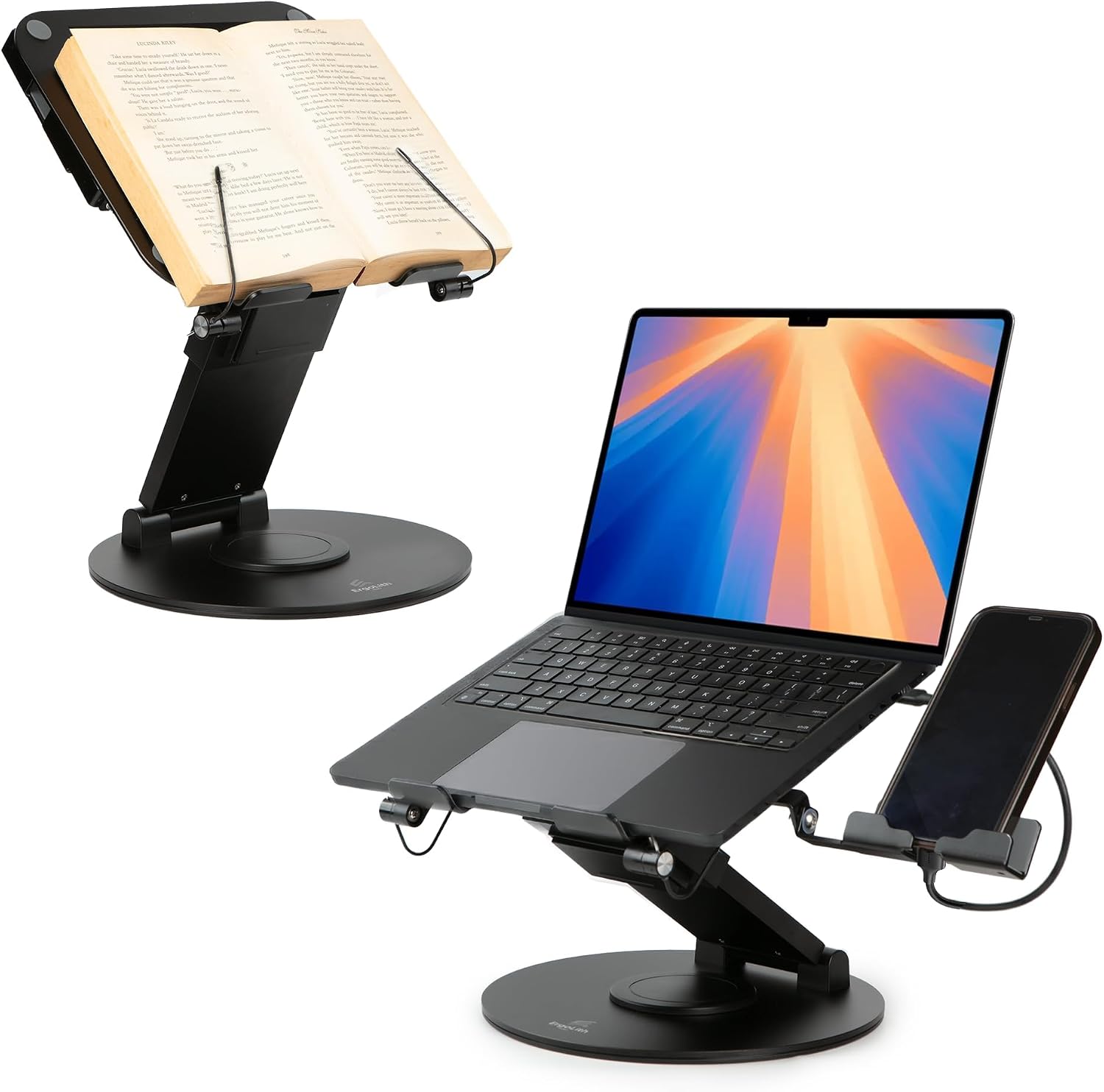
Multi-device stands are becoming increasingly popular as remote and hybrid work continue to rise. However, many users make common mistakes that can hinder productivity and overall comfort. In this post, we’ll explore these frequent errors and how to avoid them when utilizing multi-device stands, ensuring an optimal workspace arrangement.
Neglecting Ergonomic Height Adjustment
One of the most common mistakes is failing to adjust the height of the stand to fit your needs. Many users attempt to use the stand at a fixed height, which can lead to discomfort and strain. A proper ergonomic setup should allow you to look straight ahead at your screen without tilting your head, ensuring a more relaxed posture.
To avoid this issue, take a moment to adjust the height of your multi-device stand, such as the Viozon Portable Laptop Stand. This versatile riser allows you to find the perfect height for your laptop while maintaining a comfortable neck position, which is crucial for long hours of work.
Overloading the Stand
Using a multi-device stand beyond its intended capacity is another frequent misstep. Users often place multiple devices on the stand without considering weight limits, leading to instability and potential damage. Each stand has a specific design meant to support certain weights, and exceeding that can cause accidents.
To ensure safety, always check the specifications of your stand. For instance, the makecatch Portable Laptop Stand is designed with durability in mind, but overloading it can still lead to wobbliness. Stick to the recommended limits to keep your devices secure and your workspace clutter-free.
Improper Device Arrangement
Another common error is arranging devices haphazardly on the stand. Users may place heavier items like laptops on the top shelf, leading to an unstable setup. Properly distributing weight across the stand is essential for maintaining both stability and accessibility.
To avoid this, place the heaviest device, like your laptop, at the bottom tier of the stand. This arrangement provides a solid base and keeps lighter devices, such as your phone or tablet, easily accessible at eye level. This approach maximizes both usability and safety.
Ignoring Cable Management
Poor cable management can quickly turn a neat workspace into a chaotic one. Users often overlook the importance of organizing cables, leading to tangles and potential damage. Having cables strewn across your desk can also pose a tripping hazard.
To keep your workspace tidy, consider using cable ties or clips to organize your cords neatly. Many multi-device stands, like the 3 in 1 Laptop Stand for Desk, come with built-in cable management features that help keep your workspace organized. A clean setup not only looks better but also improves productivity.
Neglecting Cooling Needs
Overheating is a significant concern for laptops, especially when placed on stands without adequate airflow. Users often place their devices on stands without considering how heat dissipation works. This oversight can lead to performance issues and shorten the lifespan of your laptop.
To prevent overheating, choose a multi-device stand that promotes airflow, such as the Viozon Portable Laptop Stand. Its design features ventilation spaces that help keep your laptop cool while in use. Regularly check the temperature of your devices to ensure they’re running optimally.
Forgetting About Personal Comfort
Personal comfort should never be an afterthought when using a multi-device stand. Users often focus too much on aesthetics and functionality, neglecting how their setup affects their well-being. Comfort is essential for maintaining productivity during long work sessions.
Make adjustments based on your unique preferences. Use cushions or wrist supports if needed, and ensure your setup allows for a natural arm position while typing. Customizing your workspace is key to staying comfortable and focused throughout the day.
Using Incompatible Devices
Not all stands are compatible with every device. Users sometimes attempt to use a stand with a device that may not fit properly, leading to instability and potential damage. It’s crucial to verify compatibility before making a purchase.
Check the specifications of your stand and your devices to ensure they align. For example, the makecatch Portable Laptop Stand is designed for a range of laptops and tablets, making it a versatile choice. Always double-check compatibility to prevent mishaps.
Disregarding Aesthetics
While functionality is vital, the visual appeal of your workspace shouldn’t be overlooked. Users often purchase stands that clash with their overall decor or personal preferences, leading to dissatisfaction with their workspace. An aesthetically pleasing setup can enhance your mood and productivity.
Consider selecting a stand that complements your style. Options like the Sky Black 3 in 1 Laptop Stand not only provide excellent functionality but also look great in any environment. A harmonious workspace can inspire creativity and focus, making it worth the effort to choose wisely.
Failing to Maintain the Stand
Lastly, a common mistake is neglecting to maintain the stand itself. Dust and grime can accumulate over time, affecting both aesthetics and functionality. Users may overlook the importance of regular cleaning, which can lead to wear and tear.
Establish a routine for cleaning your multi-device stand. A simple wipe down with a microfiber cloth can keep it looking fresh and functioning well. Regular maintenance not only enhances the stand’s lifespan but also contributes to a healthier workspace.
Where to start
Now that you’re aware of the common mistakes people make when using multi-device stands, it’s time to make the necessary adjustments to your workspace. Start by assessing your current setup and identifying areas for improvement, such as height adjustments and device arrangements. Take the time to find the right stand that meets your needs, like the versatile options available at Leo’s Computers Store.
With the right tools and adjustments, you can create a workspace that enhances productivity and comfort. Browse our selection of multi-device stands, including the makecatch Portable Laptop Stand and the Viozon Portable Laptop Stand, and transform your work environment today!
From our shelves
- 3 in 1 Laptop Stand for Desk, Book Stand & Phone Holder, Sky Black
- makecatch Portable Laptop Stand for Desk, 3-in-1 Adjustable Holder
- Viozon Portable Laptop Stand for Desk, Foldable Adjustable Computer Riser with Magnetic Phone Holder
Browse the Multi-Device and Combo Stands range, or see everything in stock. Questions about what suits your setup? Talk to us or read the FAQ.